

Video Monitoring for Separation Anxiety: A 2026 Guide
Table of Contents
- Signs of Separation Anxiety in Dogs
- Video Monitoring for Separation Anxiety: What the Camera Captures
- The Best Pet Camera for Separation Anxiety: Features That Matter
- How to Train a Dog with Separation Anxiety Using Video Data
- Privacy, Security, and False Alarms: What Most Guides Skip
- Setting Up Your Monitoring Environment and Tracking Progress
- Frequently Asked Questions
Last Updated: September 16, 2026
Signs of Separation Anxiety in Dogs
A 2026 survey from CertaPet's separation anxiety research found that 48% of respondents reported their pet shows signs of the condition, yet many owners cannot tell the difference between boredom and genuine distress. True separation anxiety produces a specific cluster of behaviors that appear within the first 30 minutes of your departure and escalate over time.
The most common signs include:
- Destructive behavior aimed at doors, window frames, and crates
- Excessive vocalization such as howling, barking, or whining
- Pacing in fixed routes near exits
- House soiling in a fully house-trained dog
- Drooling, trembling, or refusing food while alone
Video Monitoring for Separation Anxiety: What the Camera Captures
Video monitoring for separation anxiety means recording your dog while you are away and reviewing the footage to identify behavioral patterns, anxiety triggers, and the timing of distress episodes. It turns vague worry into a documented timeline you can act on.
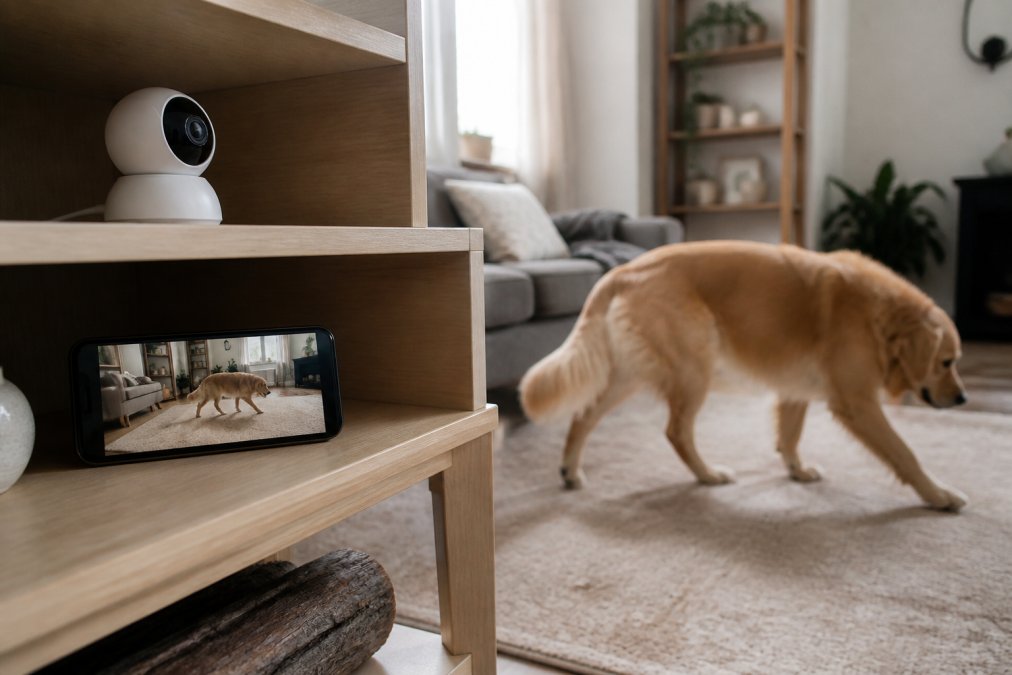
- Onset timing. Distress at minute 2 suggests true anxiety; distress at hour 3 suggests boredom.
- Trigger events. Does your dog react to hallway noise, a passing truck, or nothing at all?
- Behavior sequences. Pacing that builds into vocalization follows a pattern you can interrupt.
- Recovery. How long until your dog settles, if at all?
The Best Pet Camera for Separation Anxiety: Features That Matter
The best pet camera for separation anxiety captures reliable behavioral data, not just pretty video. Resolution and night vision matter less than continuous recording, reviewable footage, and alerts when something changes.
Here is what to prioritize, and what to skip:
| Feature | Why It Matters | Priority |
|---|---|---|
| Continuous recording + cloud storage | Lets you review onset timing, not just live moments | Essential |
| Two-way audio | Lets you use calming cues during early distress | Essential |
| Motion detection with adjustable sensitivity | Reduces false alerts and notification fatigue | High |
| Wide field of view | Covers pacing routes across a room | High |
| Night vision | Captures overnight distress episodes | Medium |
| Smart home integration | Automates lights or sound during departures | Optional |
Security and Privacy: The Setup Checklist Most Guides Skip
Any internet-connected camera in your home is a potential entry point, and the risks are not theoretical. Before mounting it, run through this checklist:
- Change the default password to a unique, long passphrase, never reuse one from another account.
- Enable two-factor authentication on the camera app and on the account email tied to it.
- Check for firmware updates at setup and turn on automatic updates if the manufacturer offers them.
- Put the camera on a separate network, a guest SSID or IoT VLAN, so a compromise cannot reach your laptop or phone.
- Review the manufacturer's cloud retention policy: how long footage is stored, whether it is encrypted at rest, and whether clips are used for model training.
- Disable remote access features you do not use, such as web-portal logins or third-party integrations.
- If the camera requires a subscription to view your own recordings, factor that recurring cost into the total price before you commit.
Troubleshooting False Positives Before You Panic
Constant motion alerts defeat the purpose of monitoring and cause a subtler problem: owners start interpreting normal alone-time behavior as distress. A ceiling fan, a curtain in a draft, a passing delivery truck, or a pet sitter's visit will all trigger notifications. Reduce sensitivity, define activity zones that exclude windows and vents, and schedule alerts only for the hours you are actually away.
- Boredom, intermittent pacing, chewing on random objects, settling easily when a noise distracts. Onset is usually late (hour two or three), and the dog recovers quickly.
- Mild anxiety, whining at the door, brief pacing along a fixed route, some drooling. Onset within the first 30 minutes, but the dog self-settles within 15 to 20 minutes.
- Clinical separation anxiety, distress begins within minutes of departure, escalates rather than resolves, and includes destructive behavior aimed at exits, house soiling in a house-trained dog, or complete food refusal. Recovery does not happen without intervention.
How to Train a Dog with Separation Anxiety Using Video Data
Training a dog with separation anxiety works best when each session is guided by what the footage shows. The camera tells you the departure duration your dog can currently tolerate, and you build from there using desensitization and counter-conditioning.
Here is a workable protocol:
-
Record a baseline: leave for 30 minutes and log onset, duration, and intensity of distress
-
Identify your dog's threshold: the longest absence with no distress signs
-
Start sessions at 50% of that threshold, repeated three to four times daily
-
Pair every departure with a high-value food toy or feeder
-
Extend duration by 2-5 minutes only after two clean sessions
-
Review footage weekly and adjust based on actual behavior, not assumption
-
Baseline recording establishes the starting point. Without it, you are guessing at threshold and will either push too fast (flooding) or too slow (no progress).
-
Threshold identification finds the duration your dog can handle without distress. This is the ceiling you train under, never above.
-
Sessions at 50% of threshold keep the dog under threshold, which is the condition required for counter-conditioning to take hold. Repeated short successes build a history of safe departures.
-
Departure pairing with a high-value food toy creates a positive conditioned emotional response, the departure predicts something good, not something scary.
-
Two-minute extensions are small enough that a setback is recoverable. Larger jumps risk pushing past threshold and undoing weeks of work.
-
Weekly footage review catches plateaus early. Onset timing usually improves before duration does, so watch for later onset as the first sign of progress.
Sharing Footage with a Certified Trainer
This is the step most owners skip, and it accelerates progress the fastest. A certified trainer or veterinary behaviorist cannot observe your dog alone at home, but they can read footage, if you hand it to them in a usable form.
Before your first consultation, prepare a clip package:
- Three to five short clips (60 to 90 seconds each) showing onset, peak distress, and recovery from separate absences.
- A one-page log with date, departure time, return time, time to onset, peak intensity (mild, moderate, severe), and recovery time.
- A note on what happened immediately before each departure, exercise, feeding, a household change, a new person in the home.
- A list of what you have already tried and for how long.
Privacy, Security, and False Alarms: What Most Guides Skip
Most buying guides skip the two problems that generate the most support tickets: security and false positives. Both are solvable, and neither is a reason to avoid cameras.
Setting Up Your Monitoring Environment and Tracking Progress
Setup takes about 45 minutes and determines whether your footage is usable. Position the camera at your dog's eye level or slightly above, aimed at the main resting area and the primary exit door. Test the field of view by recording a five-minute session while you are home, then check that you can see pacing routes and the crate or bed.
What you will need:
- Camera with continuous recording and cloud storage
- Stable WiFi at the camera location
- A written behavior log or spreadsheet
- A high-value food toy or automatic feeder for departure pairing
Frequently Asked Questions
Is it safe to leave my dog home alone while I'm at work?
It depends on your dog's behavior, not the length of your workday. Video monitoring for separation anxiety shows whether your dog settles or panics once you leave. A 2026 Frontiers in Veterinary Science study evaluated more than 180 dog-caregiver dyads using over 100 unedited video observations, and clinical guidelines now treat video as a standard assessment tool. If footage shows pacing, howling, or destructive behavior, the dog is not safe to leave for a full shift without a training plan and a veterinary or behaviorist consult.
How can a pet camera help with separation anxiety training?
A camera gives you objective data instead of guesswork. Record your departures, then review how long your dog stays calm before showing signs of separation anxiety in dogs, such as pacing or excessive vocalization. The best pet camera for separation anxiety includes real-time alerts, two-way audio, and cloud storage so you can track progress across sessions. Pair that data with short absences and positive reinforcement. Cameras are diagnostic, not curative, so they must support a broader training plan rather than replace it.
Can video monitoring make separation anxiety worse?
It can if you use it to talk to your dog constantly. Two-way audio helps in short, planned check-ins, but frequent chatter can raise arousal and make departures harder. Use the camera to observe and collect data, not to soothe your dog every time it whines. The 2026 CertaPet survey found 44% of pet owners worry about separation anxiety, and many soothe too often. Let the footage guide your training protocol, and save live interaction for brief, calm moments.
What features should I look for in a pet monitor for anxious pets?
Prioritize motion detection, night vision, two-way audio, and reliable app-based monitoring with low latency. Field of view and resolution matter because you need to see pacing, lip licking, and destructive behavior clearly. Cloud storage helps you compare sessions over time. If you also need to manage feeding, the Mac & Ellies 6L automatic feed dispenser with camera ($73.96) combines scheduled meals with a video model and Tuya app control, so you can check in and feed remotely without adding a second device.
